
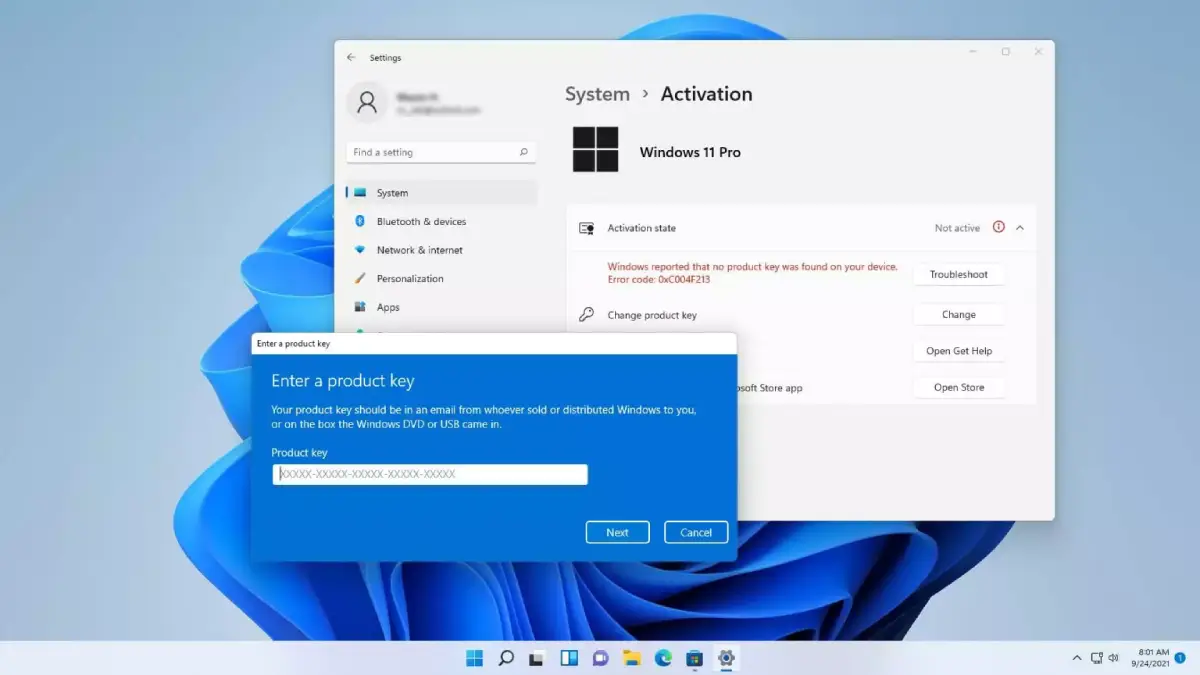
1. Error Code 0xC004F074
What It Means
Error code 0xC004F074 usually means Windows cannot contact the Key Management Service, also known as the KMS server. This is common on business, school, or organization owned computers.
Common Causes
- Incorrect date and time settings
- No connection to the company network or VPN
- DNS problems
- KMS activation server unavailable
How to Fix It
- Go to Settings > Time & Language > Date & Time.
- Turn on Set time automatically.
- Connect to your company network or VPN if this is a work or school device.
- Open Command Prompt as Administrator and run:
slmgr /ato2. Error Code 0xC004C003
What It Means
Error code 0xC004C003 means the activation server rejected your product key.
Common Causes
- The key has been blocked
How to Fix It
If possible, try asking your key provider for a replacement because that is usually the only way to resolve this issue. If the key was provided directly by Microsoft, you can also contact Microsoft support for assistance. This error commonly occurs when a key has been leaked, shared publicly, or heavily abused, which leads Microsoft to block or deactivate it for security reasons.
3. Error Code 0xC004F213
What It Means
Error code 0xC004F213 means Windows cannot find a valid product key or digital license on your device.
Common Causes
- Windows was reinstalled
- The motherboard was replaced
- The digital license is not linked to your Microsoft account
- The installed Windows edition does not match the activation key.
How to Fix It
- Sign in with the Microsoft account linked to your Windows license.
- Go to Settings > System > Activation.
- Click Troubleshoot.
- Select I changed hardware on this device recently if available.
4. Error Code 0xC004C008
What It Means
Error code 0xC004C008 means your product key has already been used on another device or has been activated too many times.
Common Causes
- The key is being used on multiple PCs
- You changed major hardware, and the key is still linked to the old device.
- The license has reached its activation limit
How to Fix It
- Press Windows + R.
- Type slui 4 and press Enter.
- Follow the phone activation instructions.
N.B : Microsoft has discontinued automated phone activation in many regions, so you may be redirected to Microsoft Product Activation Portal, upon visiting the site, you will be required to sign in with a Microsoft account
5. Error Code 0xC004C060
What It Means
Error code 0xC004C060 means the product key is no longer valid or has been blocked by Microsoft.
Common Causes
- The key has been blocked
- The key was used so many times
How to Fix It
- Buy a genuine Windows 11 license from Microsoft or an authorized retailer.
- Go to Settings > System > Activation.
- Select Change product key.
- Enter your new genuine product key.
6. Error Code 0xC004F211
What It Means
Error code 0xC004F211 usually appears after a major hardware change. Windows may think your device is now a different computer.
Common Causes
- Motherboard replacement
- Major hardware upgrade
- Digital license not linked to Microsoft account
How to Fix It
- Sign in with your Microsoft account.
- Open Settings > System > Activation.
- Click Troubleshoot.
- Select I changed hardware on this device recently.
- Choose your device and reactivate Windows.
7. Error Code 0x803FA067
What It Means
Error code 0x803FA067 often appears when you try to upgrade Windows 11 Home to Windows 11 Pro using an invalid or mismatched product key.
Common Causes
- Wrong product key for your Windows edition
- Invalid Windows 11 Pro upgrade key
- Internet connection problem during activation
How to Fix It
- Check your edition in Settings > System > About.
- Make sure your key is for the correct edition.
- Disconnect VPN or proxy services.
- Try activation again from Settings > System > Activation.
8. Error Code 0xC004F012
What It Means
Error code 0xC004F012 means the Windows licensing files are missing or corrupted.
Common Causes
- Corrupted activation files
- Failed Windows update
- Damaged system files
- Registry or licensing store problem
How to Fix It
Open Command Prompt as Administrator and run these commands:
net stop sppsvc
cd %windir%\System32\spp\store\2.0
ren tokens.dat tokens.old
net start sppsvc
slmgr /rilc
slmgr /ato
Restart your computer after running the commands.
9. Error Code 0xC004F050
What It Means
Error code 0xC004F050 means the product key you entered is invalid or does not match your installed Windows edition.
Common Causes
- Typing mistake in the product key
- Wrong Windows edition installed
- Fake or blocked product key
- Using a Windows 10 or Windows 11 key incorrectly
How to Fix It
- Check the product key carefully.
- Confirm your Windows edition.
- Go to Settings > System > Activation.
- Click Change product key.
- Enter the correct key again.
10. Error Code 0x80072EE2
What It Means
Error code 0x80072EE2 means Windows cannot connect to Microsoft activation servers. This is usually a network or timeout problem.
Common Causes
- Weak or unstable internet connection
- Firewall blocking activation
- VPN or proxy interference
- Microsoft activation server temporarily unavailable
How to Fix It
- Check your internet connection.
- Restart your router.
- Disable VPN or proxy temporarily.
- Make sure Windows Update services are running.
- Try activation again later.
11. Error Code 0xC0EA000A
What It Means
Error code 0xC0EA000A means Windows cannot activate because of hardware changes, product key issues, or license verification problems.
Common Causes
- Changing hardware like the motherboard
- Invalid or incorrect product key
- Problems verifying the Windows license
- Corrupted activation files
How to Fix It
- Open Powershell as administrator
- Enter the following command
slmgr -ipk XXXXX-XXXXX-XXXXX-XXXXX-XXXXX <replace the XXXX with your product key> - Then enter this command : slmgr -ato
General Fixes for Windows 11 Activation Errors
Run the Activation Troubleshooter
The easiest way to fix many activation issues is to use the built-in troubleshooter:
Settings > System > Activation > TroubleshootCheck Your Windows Edition
Your product key must match your installed Windows edition. A Windows 11 Home key will not activate Windows 11 Pro, and a Pro key will not activate Enterprise.
Use a Genuine Product Key
Avoid cheap or suspicious product keys from unknown websites. These keys may be blocked, expired, or already used.
Link Windows License to Your Microsoft Account
Linking your license to your Microsoft account makes it easier to reactivate Windows after reinstalling Windows or changing hardware.
Conclusion
Windows 11 activation error codes can look confusing, but each code usually points to a specific problem. Some errors are caused by invalid product keys, while others happen because of hardware changes, corrupted licensing files, or internet connection issues.
Start with the Activation Troubleshooter, confirm your Windows edition, check your product key, and make sure your internet connection is working. If the issue continues, contact Key provider first or just buy a genuine Windows 11 license.